Packages
Where you upload files
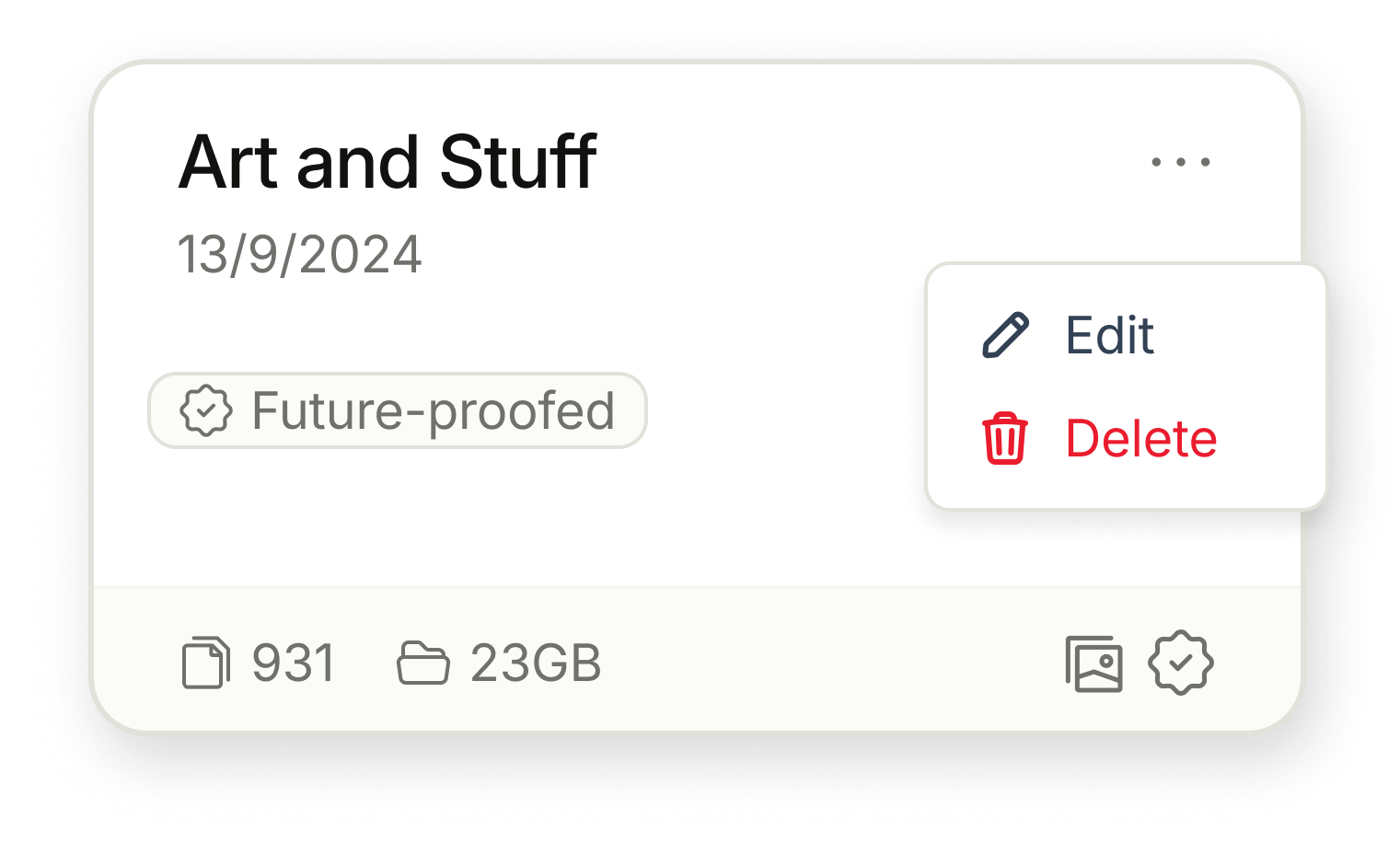
A Package is the entity with files that you will transfer to piqlFilm or to be stored in the Frozen cloud.
It can be seen quite flexible - for some users it represent a folder, a collection, or an area of where you would like to categorize your uploaded files.
The user decides the context of the Package. You cannot move files between Packages. Once a package is submitted it will be removed from the Workspace. The files are then being sent through the production process to be stored on piqlFilm before the files are being moved to the section ‘Archive’ where they can be found through search for retrieval.
New Package
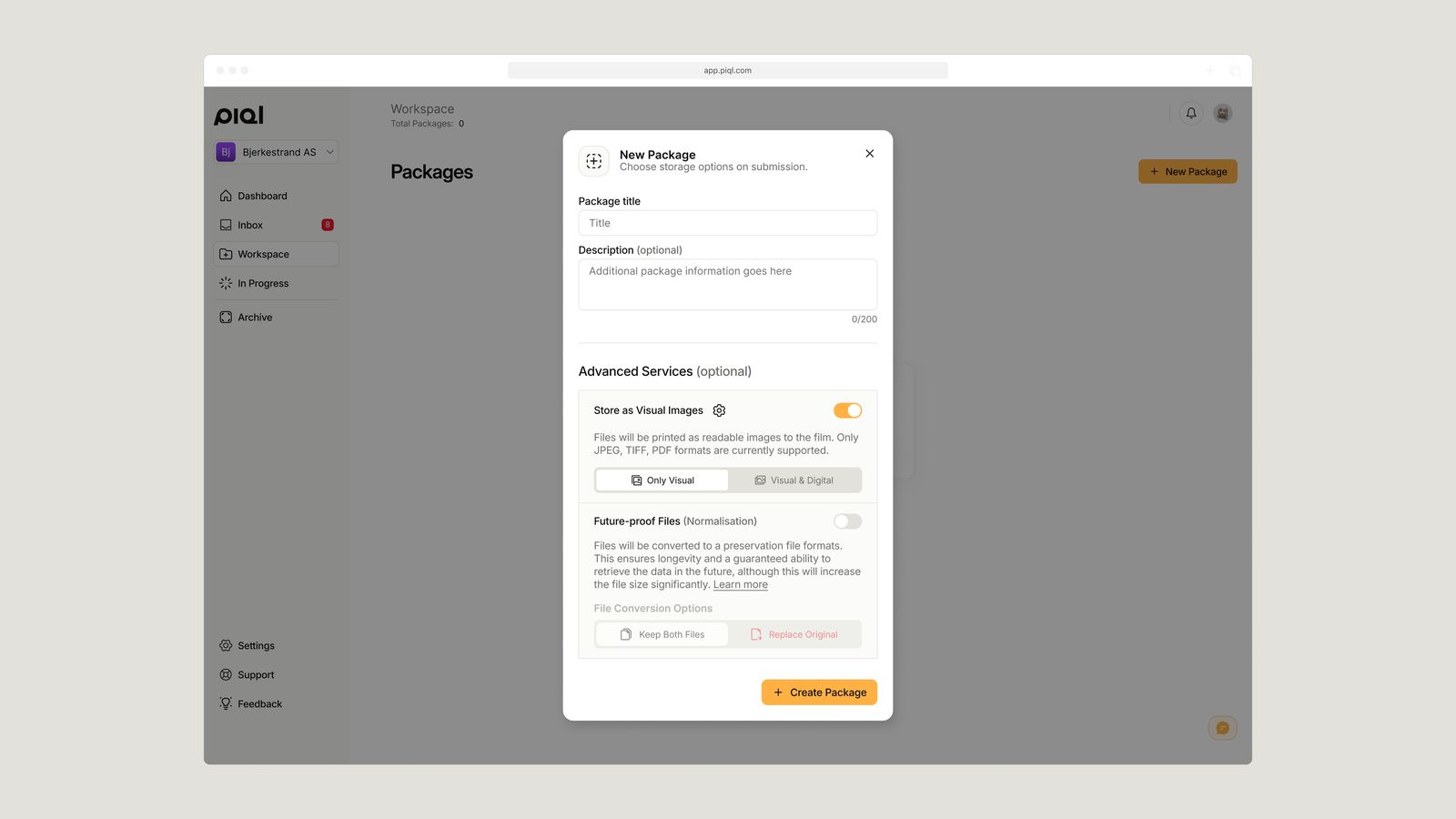
Create a ‘New Package’: When creating a new package, you will have to make a few choices:
- Package title: First you need to label the name of the package. This is something the user chose themselves. The name can be changed until submission.
- Description: Here you can add more information on the package level, i.e metadata regarding the package that you would like to include.
Advanced Services (Optional)
- Future-proof Files (Normalization): Future-proof of files is an underlying service that helps convert file formats into well-documented and standardized archival file formats, recommended by the leading archival institutions in the world. The reason for normalizing the files is to increase the likelihood of having the information being understood in the future as it is more likely that these file formats will survive.
In addition, by using well documented, open-source format, Piql can include documentation on reading software for the files, documentation on the formats or even the source code to the file formats on the piqlFilm. This makes the data stored on piqlFilm completely self-contained, which would make it possible to decode and extract the information directly from the storage medium in the future.
A full overview of the file formats being supported and what formats they are converted to can be found here: Future-proofing of files
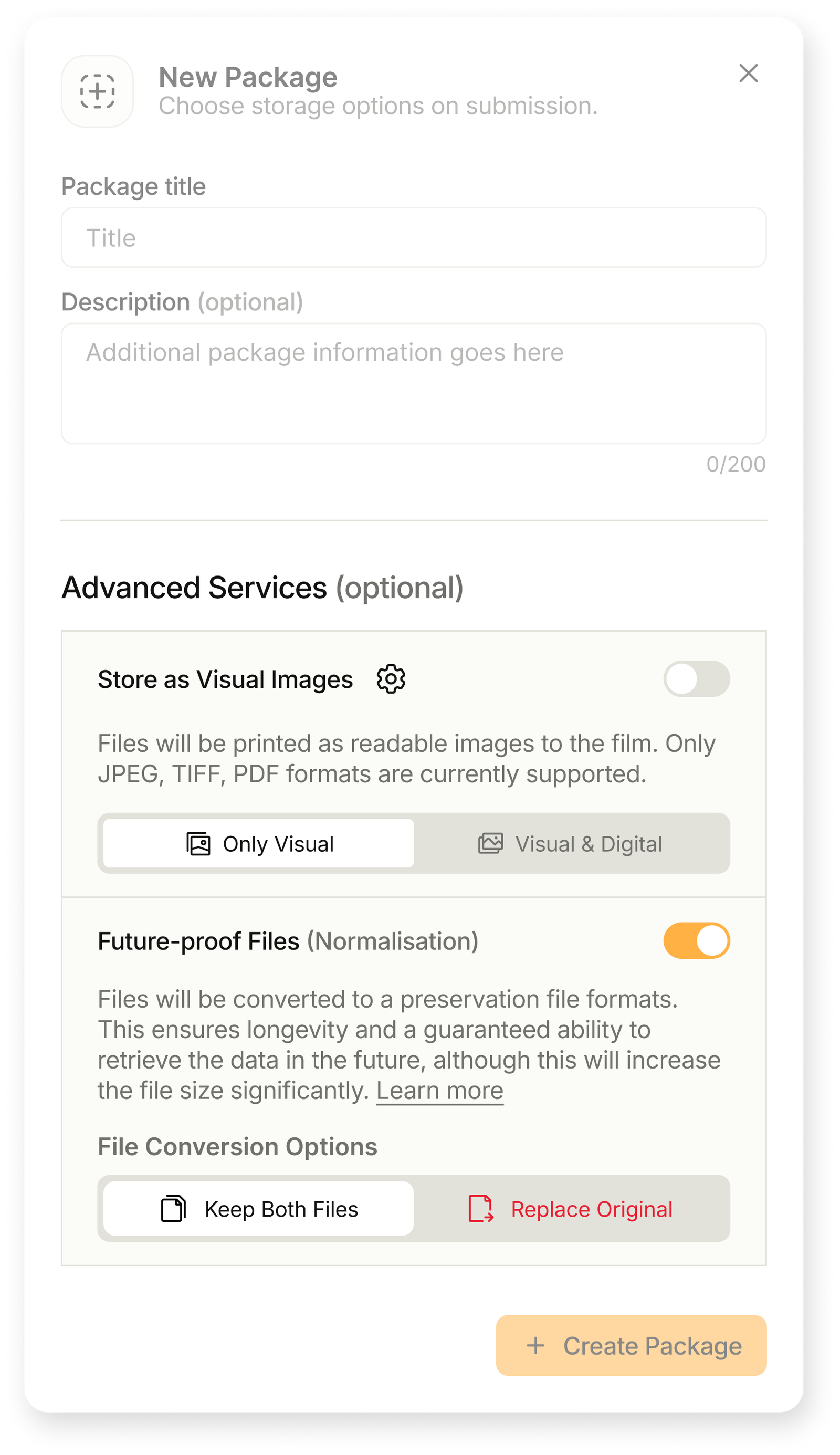
You turn on this function when creating the Package. It cannot be changed later on. Once you turn this on, you choose if you want to keep both the Original and the Normalized version of the file (Keep both files) or if you should only have the Normalized version (Replace Original). The original file will then be deleted after upload and only the Normalized version is kept.
- Store as Visual Images: One of the unique things of piqlFilm as a storage medium is that you can store information (like images and documents) in a visual, human-readable format. If you would like to store your files in this way, you will have choose this option when creating the package. This option is only available in some subscriptions. Ask us if you have questions on this.
Once the Package is ready to be created, hit the ‘Create Package’ button. A new package will appear in the Workspace ready to upload files. An unique Package ID is created which is visible by clicking the wheel in the right bottom corner of the package.
Edit and Delete package
By clicking on the three dots on the Package, you will get the option to Edit or Delete. Edit allows you to change the overall information of the Package (name and description). You cannot change the choice of Future-proof Files or Store as Visual Images.
You can also delete the package by clicking the red button in the left bottom and confirm.